Blue Dot Python App
Blue Dot Python app allows you to use another Raspberry Pi (or linux based computer) as the Blue Dot remote.

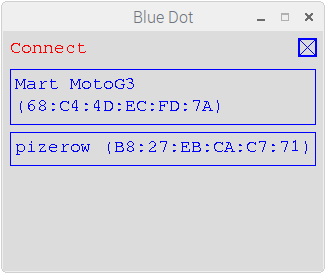
Start
The app is included in the bluedot Python library:
If you havent already done so, pair your raspberry pi and install the Python library as described in the Getting Started guide
Run the Blue Dot app:
bluedotappSelect your Raspberry Pi from the paired devices list
Press the Dot
Options
To get help with the Blue Dot app options:
bluedotapp --help
If you have more than 1 bluetooth device you can use --device to use a particular device:
bluedotapp --device hci1
You can specify the server to connect to at startup by using the --server option:
bluedotapp --server myraspberrypi
The screen size of the Blue Dot app can be changed using the width and height options and specifying the number of pixels:
bluedotapp --width 500 --height 500
The app can also be used full screen, if no width or height is given the screen will be sized to the current resolution of the screen:
bluedotapp --fullscreen